Build Photos
Prototype
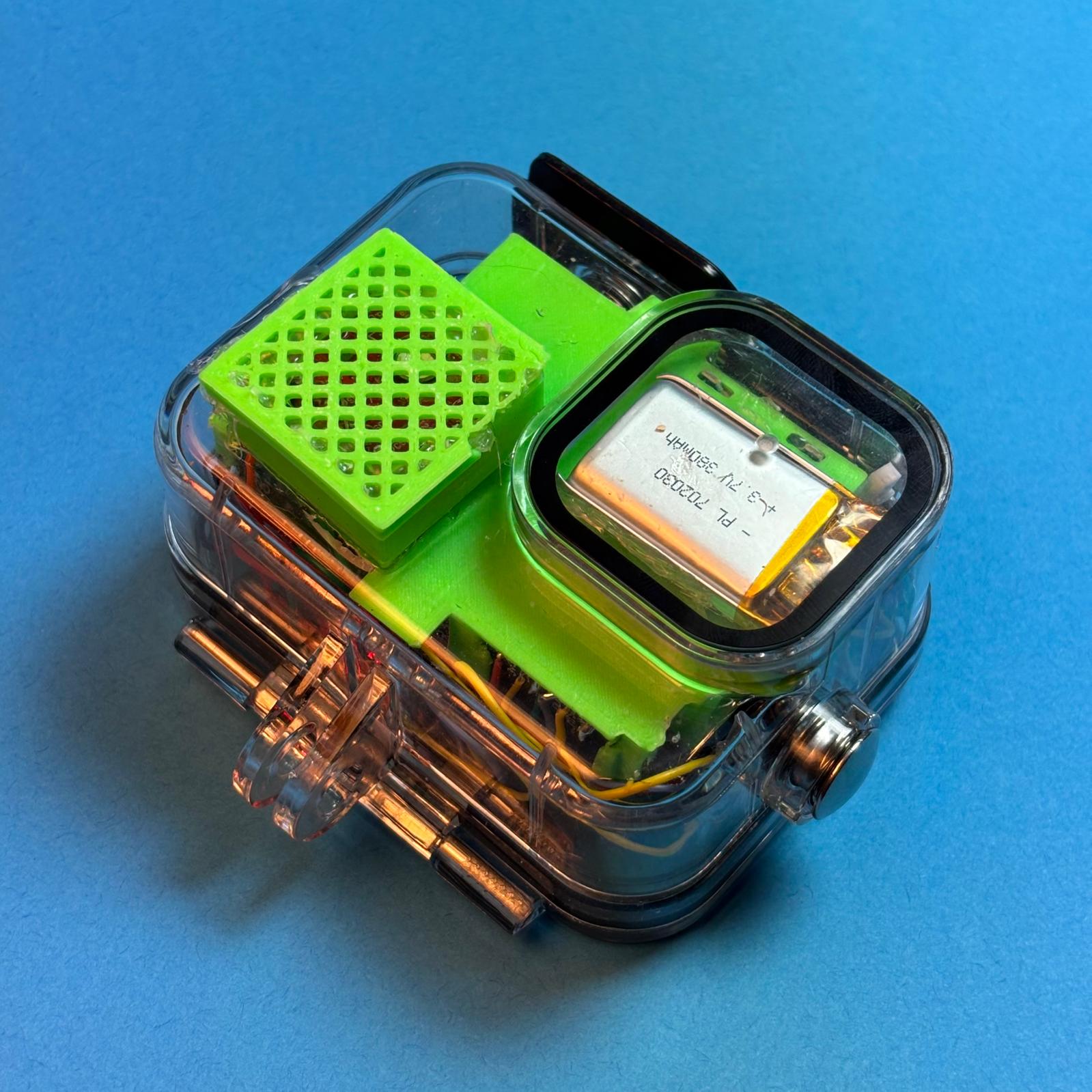
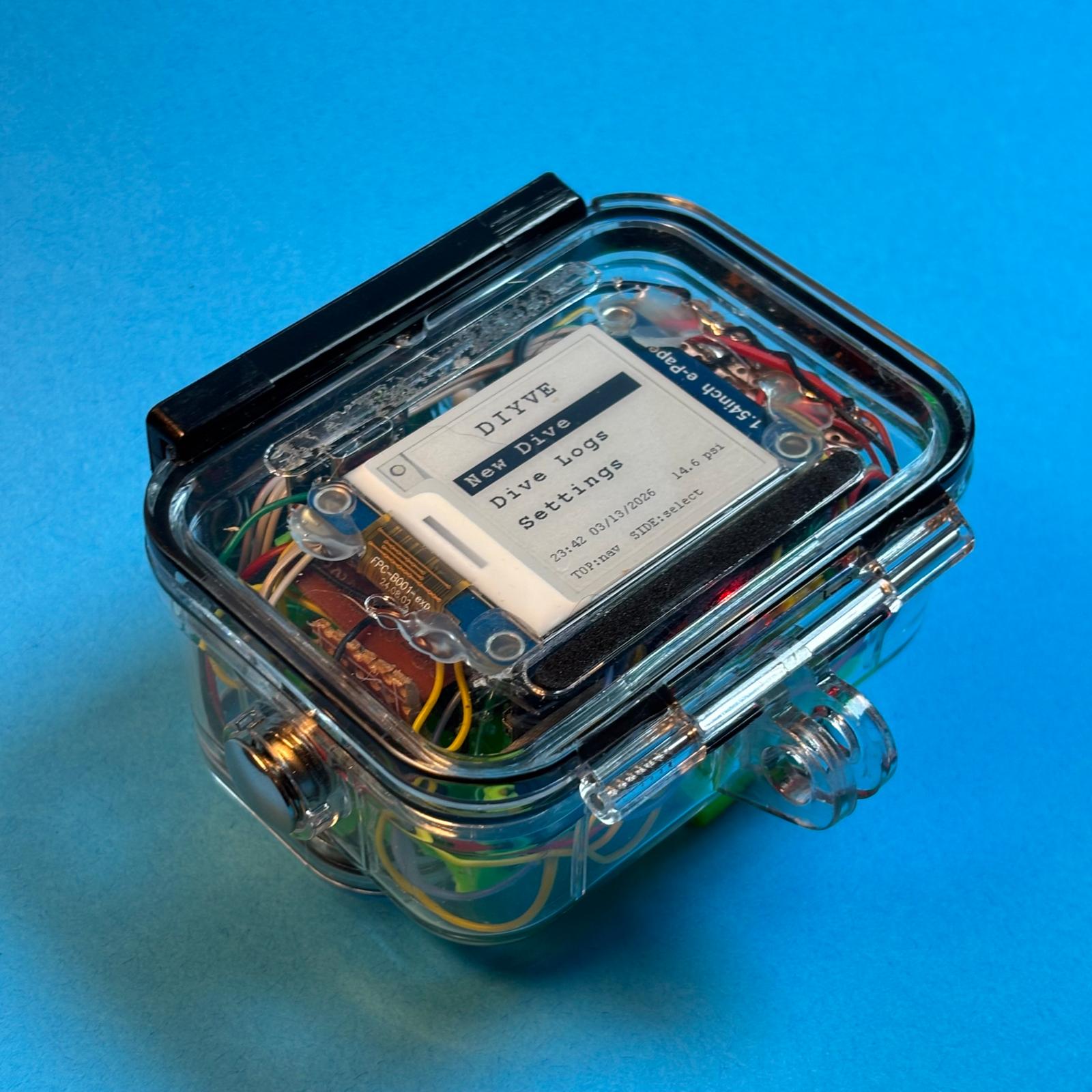
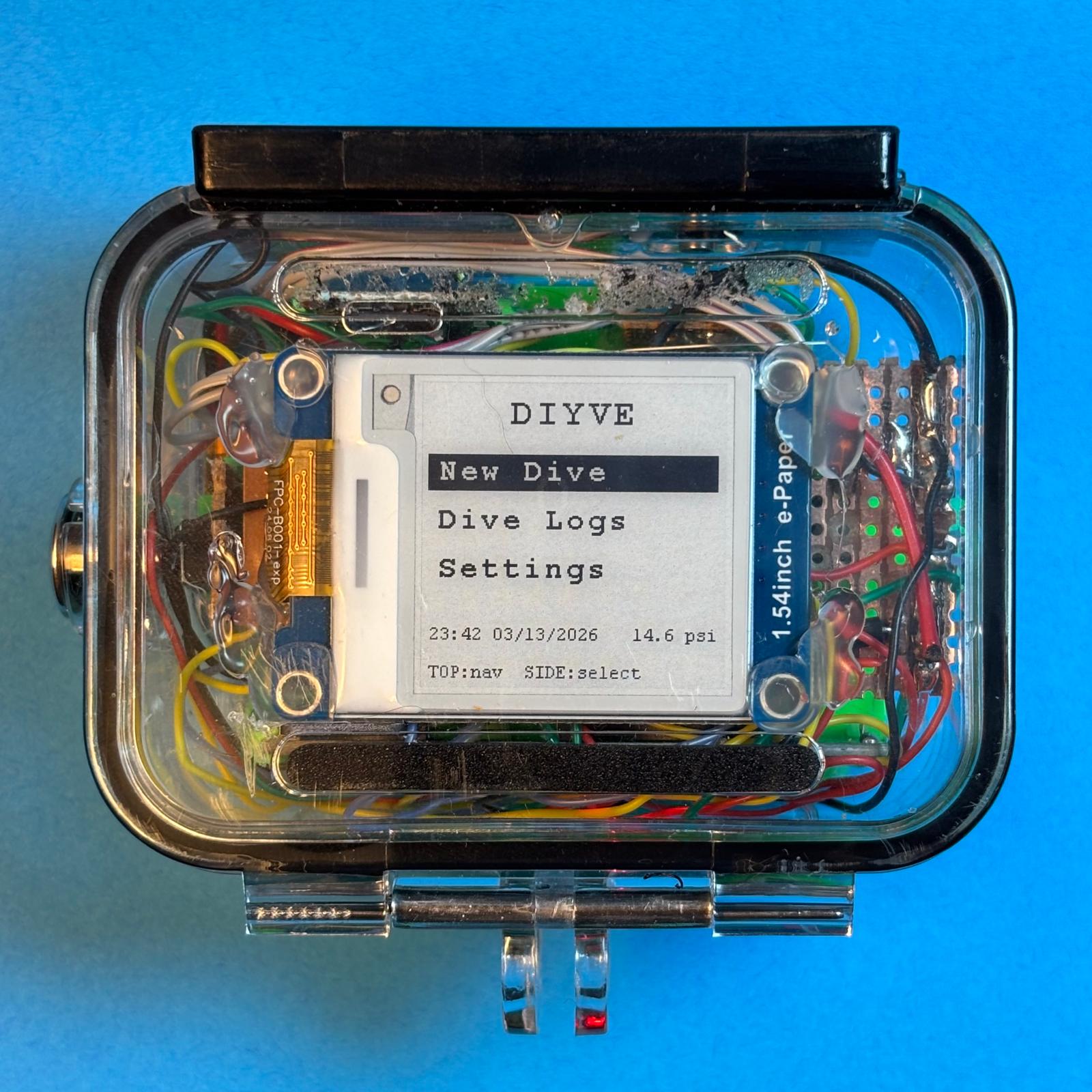
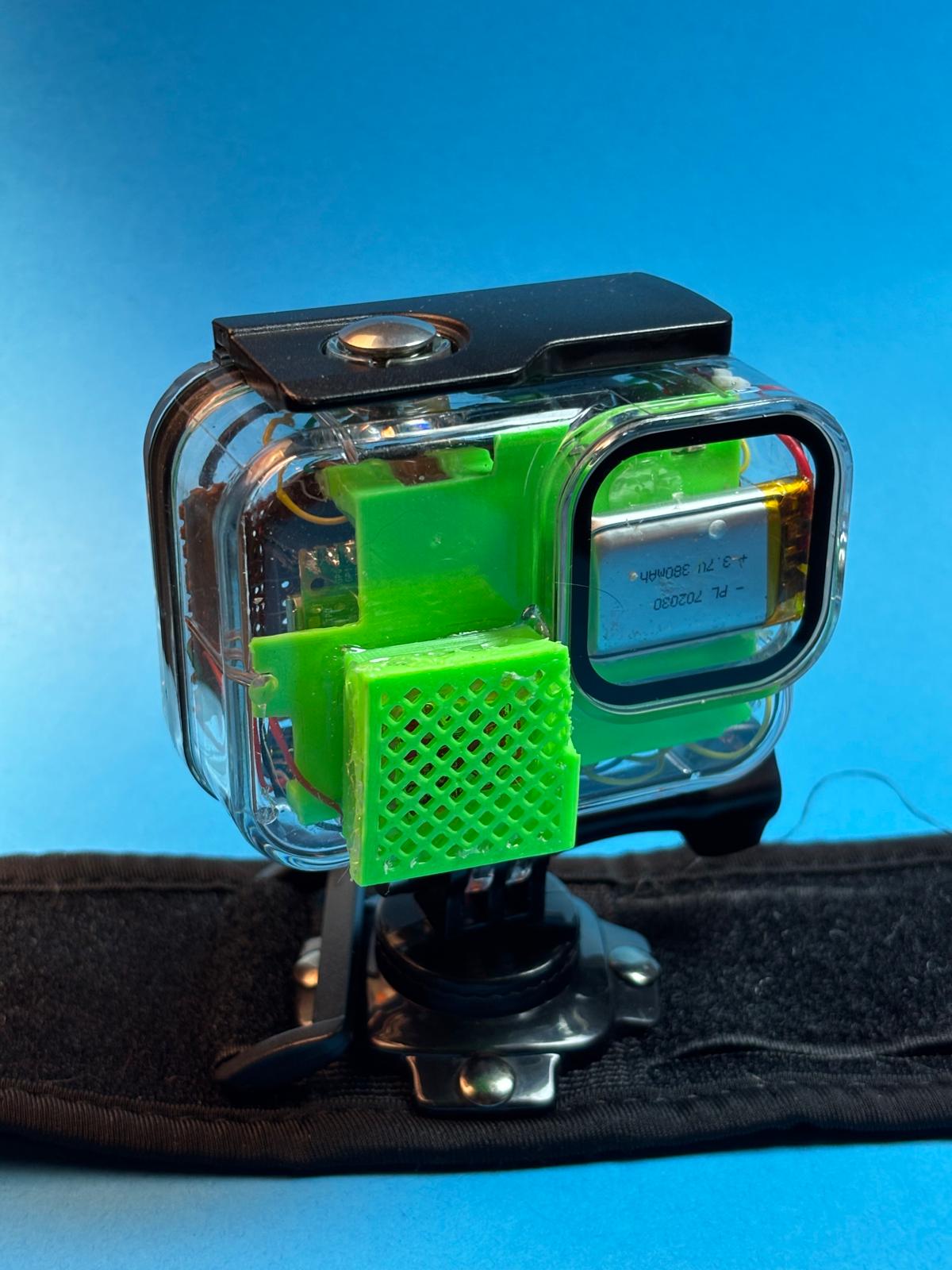
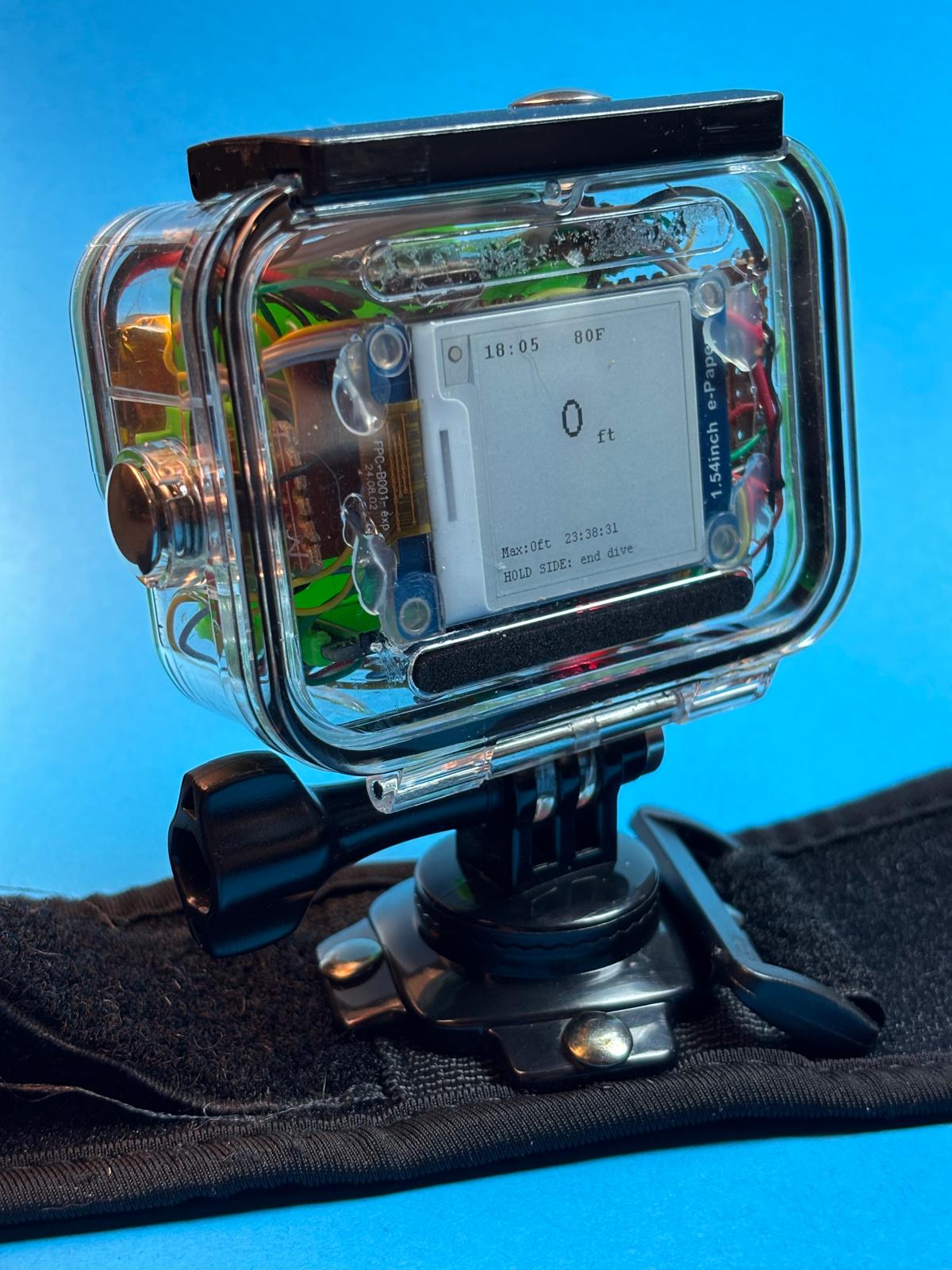
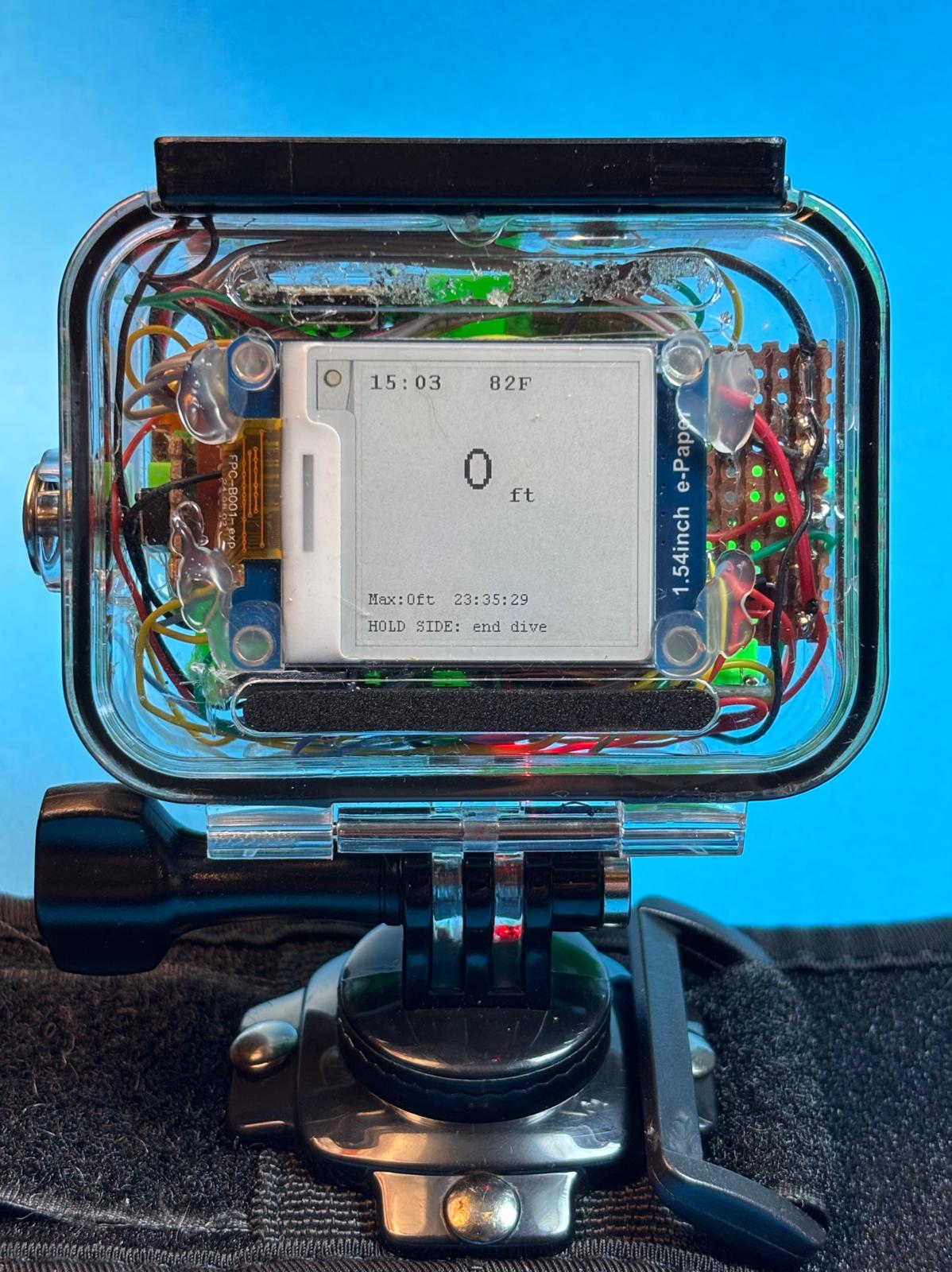
Photos of the diyve hardware prototype — hand-wired on perfboard inside a GoPro housing.
Build your own dive computer. Open source, open hardware, built on Raspberry Pi Pico.
Photos of the diyve hardware prototype — hand-wired on perfboard inside a GoPro housing.
Real dive profiles recorded during prototype testing on December 19, 2025.
Data parsed directly from the binary log files (dive_00N.bin).
Chart rendered from sampled binary records. Export full logs with
dive_log_to_uddf.py -i dive_00N.bin -o out.uddf
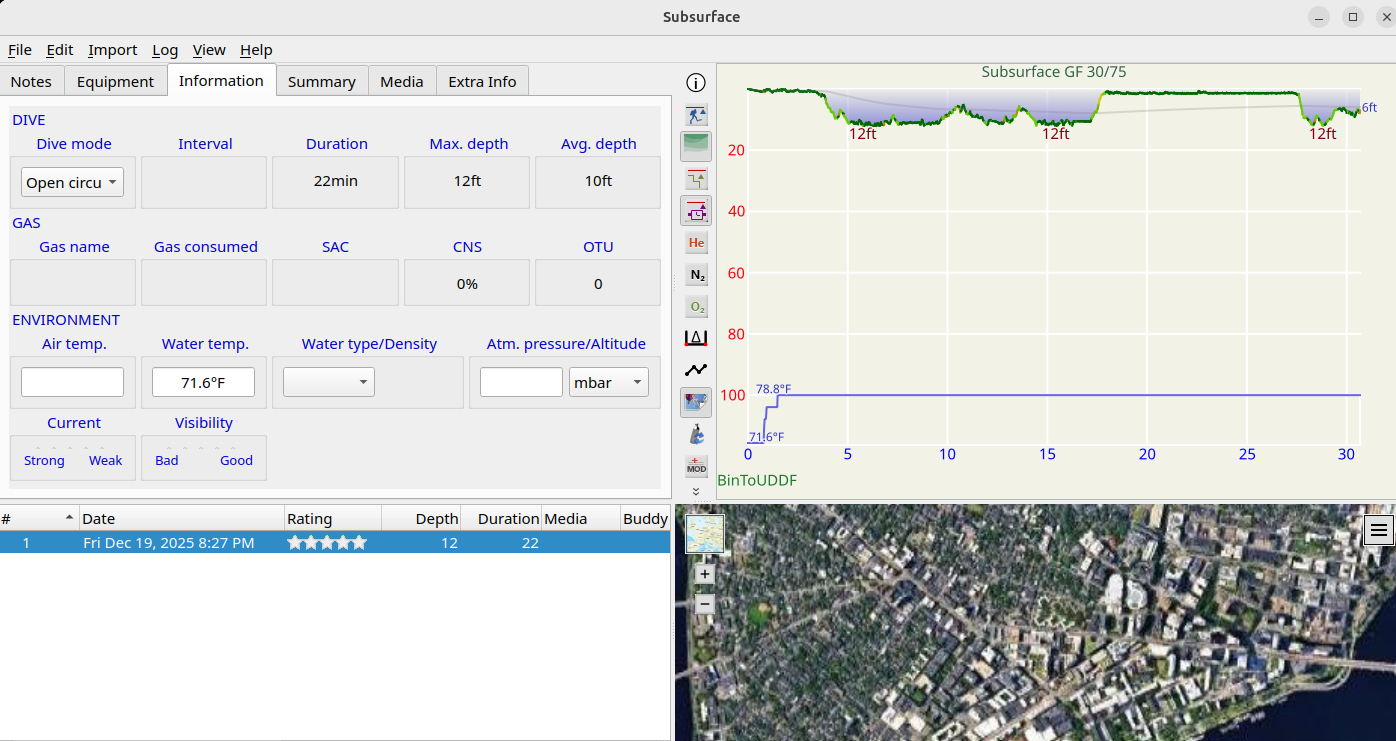
Binary logs export to UDDF — the universal dive data format — making them directly importable into Subsurface, the open-source dive log manager used by thousands of divers worldwide.
Export command
python3 tools/dive_log_to_uddf.py \
    -i dive_004.bin \
    -o dive_004.uddf
Then in Subsurface: Import → Import Log Files and select the .uddf file.
Open hardware and software — every component and line of code is publicly available.
MS5803 pressure sensor over I2C. Reads depth and water temperature in real time at 1 Hz.
MS5803 · I2C @ 0x761.54" 200×200 e-paper display. Readable underwater, low power, partial refresh for fast updates.
1.54" Waveshare · SPI · Partial RefreshLogs depth and temperature to SD card at 1 Hz. Exports to UDDF for use in Subsurface and other dive software.
SD Card · 15 B/sample · UDDF ExportFour screens: Menu, Dive, Logs, and Settings. TOP button navigates, SIDE button selects. Long-press to start or end a dive.
Menu · Dive · Logs · SettingsCustom wrist-worn enclosure in a GoPro housing. OpenSCAD source files included in the repo.
OpenSCAD · GoPro HousingC firmware, Python log converter, and all hardware files under the MIT license.
MIT License · C Firmware · Python ToolsBuilt around the Raspberry Pi Pico — affordable, well-documented, and supported by a mature SDK. All parts sourced from Amazon.
| # | Component | Role | Est. Cost |
|---|---|---|---|
| 1 | Raspberry Pi Pico (RP2040) | Main MCU — dual-core ARM Cortex-M0+ | $15 |
| 2 | MS5803 Pressure Sensor | Depth + temperature via I2C1 (addr 0x76, SDA=GPIO2, SCL=GPIO3) | $70 |
| 3 | DS3231 RTC Module | Accurate timestamps for dive logs via I2C0 (GPIO4/5) | $8 |
| 4 | Waveshare 1.54" E-Paper | 200×200 display, partial refresh, SPI1 | $18 |
| 5 | SD Card Breakout | FAT filesystem log storage via SPI0 | $7 |
| 6 | MicroSD Card | Storage media for binary dive logs | $10 |
| 7 | LiPo Battery (3.7V) | Rechargeable power source | $8 |
| 8 | LiPo Charger (TP4056) | USB charging module for LiPo cell | $6 |
| 9 | Schottky Diode | Power path protection | $6 |
| 10 | Slide Switch | On/off switch for battery circuit | $9 |
| 11 | Momentary Buttons (×2) | TOP (navigate) + SIDE (select / long-press) | $7 |
| 12 | Perfboard | 52×72.5mm custom PCB base | $5 |
| 13 | Pin Headers | Module interconnects | $8 |
| 14 | Hookup Wire | Point-to-point wiring on perfboard | $13 |
| 15 | GoPro Waterproof Housing | Waterproof outer enclosure; 3D-printed brackets mount internals inside | $19 |
| 16 | Two-Part Epoxy | Seal pressure sensor port through housing wall | $6 |
| 17 | RP2040 Debug Probe dev only | SWD debugger for flashing & on-device debugging | $30 |
| Total (excl. debug probe) | $215 | ||
Pin assignments from diyve_pins.h
Everything you need to build, flash, and use diyve.
📹 Full build tutorials are coming soon.
Clone the repo, then run the program script — it handles building and flashing in one step:
git clone https://github.com/RiceShelley/dive_computer
cd dive_computer
./program.sh
Prerequisites: cmake, ninja, arm-none-eabi-gcc, the Pico SDK, and an RP2040 debug probe connected via SWD.
All pin assignments are defined in src/include/diyve_pins.h:
// Pressure sensor — MS5803 via i2c1
MS5803_I2C_SDA_PIN  = GPIO 2
MS5803_I2C_SCL_PIN  = GPIO 3

// Real-time clock — DS3231 via i2c0
DS3231_SDA_PIN      = GPIO 4 (PICO_DEFAULT_I2C_SDA)
DS3231_SCL_PIN      = GPIO 5 (PICO_DEFAULT_I2C_SCL)

// SD card — SPI port 0
SD_SPI_MISO_PIN     = GPIO 16
SD_SPI_SS_PIN       = GPIO 17
SD_SPI_SCK_PIN      = GPIO 18
SD_SPI_MOSI_PIN     = GPIO 19

// E-Paper — SPI port 1
EPD_CLK_PIN         = GPIO 10
EPD_MOSI_PIN        = GPIO 11
EPD_CS_PIN          = GPIO 13
EPD_DC_PIN          = GPIO 6
EPD_RST_PIN         = GPIO 7
EPD_BUSY_PIN        = GPIO 8

// Buttons (active low, pull-up)
TOP_BUTTON_PIN      = GPIO 28  (navigate)
SIDE_BUTTON_PIN     = GPIO 27  (select / long-press)
The mechanical design files (STL / source) are included in the
mechanical/ directory of the repository. Designed for
FDM printing with standard PLA or PETG.
Recommended print settings: 0.2mm layer height, 20% infill, no supports required for the main body. The wrist strap mount accepts standard 20mm watch bands.
See the GitHub repository for the latest mechanical files and assembly notes.
Copy dive_00N.bin files from the SD card to your computer,
then run the Python converter:
# Install Python 3 (no extra packages needed)
# Convert a single dive
python3 dive_log_to_uddf.py \
    -i logs/dive_004.bin \
    -o dive_004.uddf

# The output is UDDF 3.2.0 XML — import it into
# Subsurface, DivingLog, or any compatible app
The binary format is <HBBBBBff (little-endian):
2-byte year, five 1-byte time fields, two 4-byte floats (temp °C, depth m).
15 bytes per record.
The project includes VSCode tasks and launch configurations for debugging via OpenOCD and a picoprobe/SWD adapter.
# Flash and debug via OpenOCD (from .vscode/tasks.json)
openocd -f interface/cmsis-dap.cfg \
        -f target/rp2040.cfg \
        -c "program build/diyve.elf verify reset exit"
Use the VSCode CMake extension with the kit defined in
.vscode/cmake-kits.json for a full IDE experience
including IntelliSense and breakpoint debugging.